
ABAJ Super App
Delivery, pickup, reservations, and catering.
View contribution & implementation evidence ↓Delivery, pickup, reservations, and catering.

Designed and built by Alexanders Schwartzmann · end-to-end
- Native customer UX
- Expo screens & navigation
- Cart, options & checkout
- Commerce API integration
The iOS and Android customer app brings the restaurant menu, order options, and checkout into one native experience.
Choose a screen to see the product’s features and main flow.
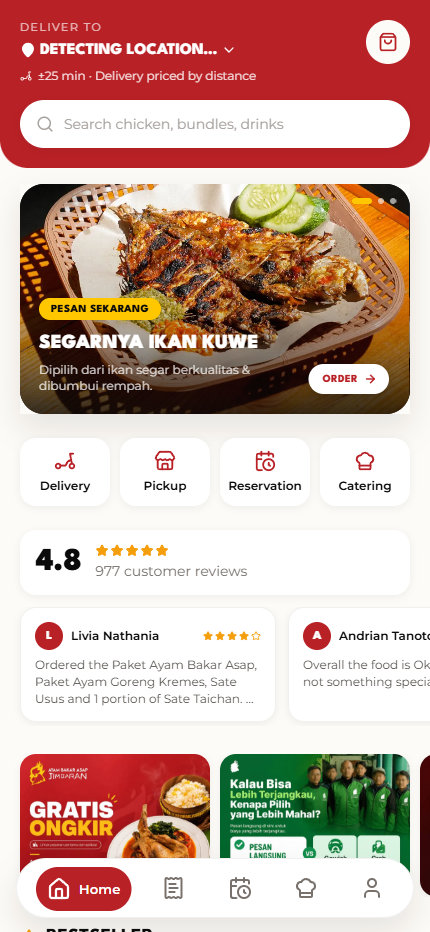
Four ordering modes
Delivery, pickup, reservation, and catering share the current menu and promotional banners.
Latest native source · current public menu
- Delivery, pickup, reservation & catering
- Current menu, required variants & cart
- Courier, schedule & payment choices
React Native / Expo / Expo Router / Zustand / NativeWind
- The problem
- Different ordering needs should still feel like one restaurant experience.
- What I built
- An iOS and Android customer app for delivery, pickup, reservations, and catering.
- What it enables
- Customers can choose the menu, required options, schedule, courier, and payment in one flow.
Let’s build around your workflow.
I designed and built this project end to end.
Alexanders Schwartzmann
From product design, UX, and architecture to the feature implementation below.
- Native customer UX
- Expo screens & navigation
- Cart, options & checkout
- Commerce API integration
How the main flow works
- 01
Current catalog from the backend
- 02
Required item choices & cart
- 03
Address, mode & schedule
- 04
Order quote & checkout
Implementation evidence
The implemented feature, how it works, and the technical decision behind it.
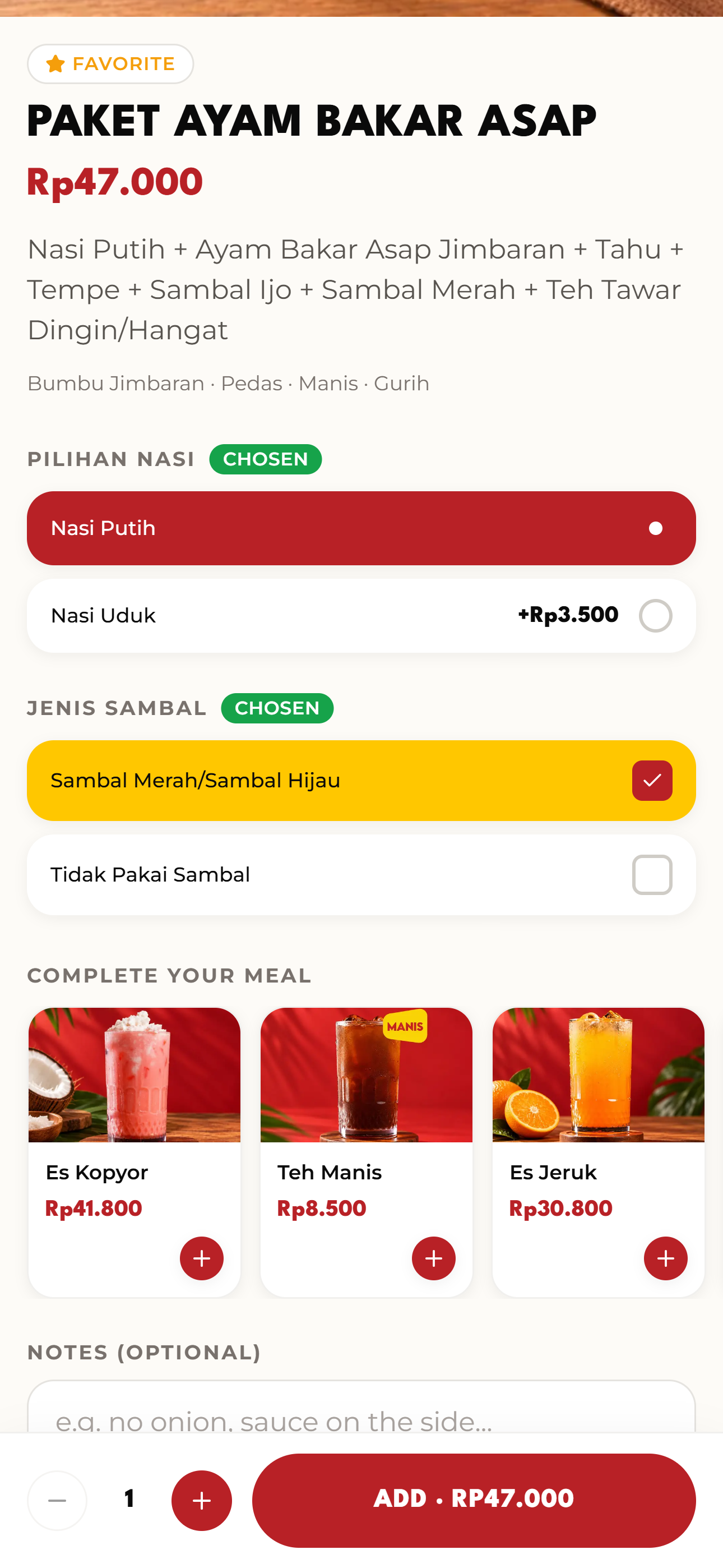
Menu choices belong to the order
The app captures required choices, extras, notes, and quantities before building the checkout summary.
The cart carries the configuration of each dish, instead of passing only a menu name.
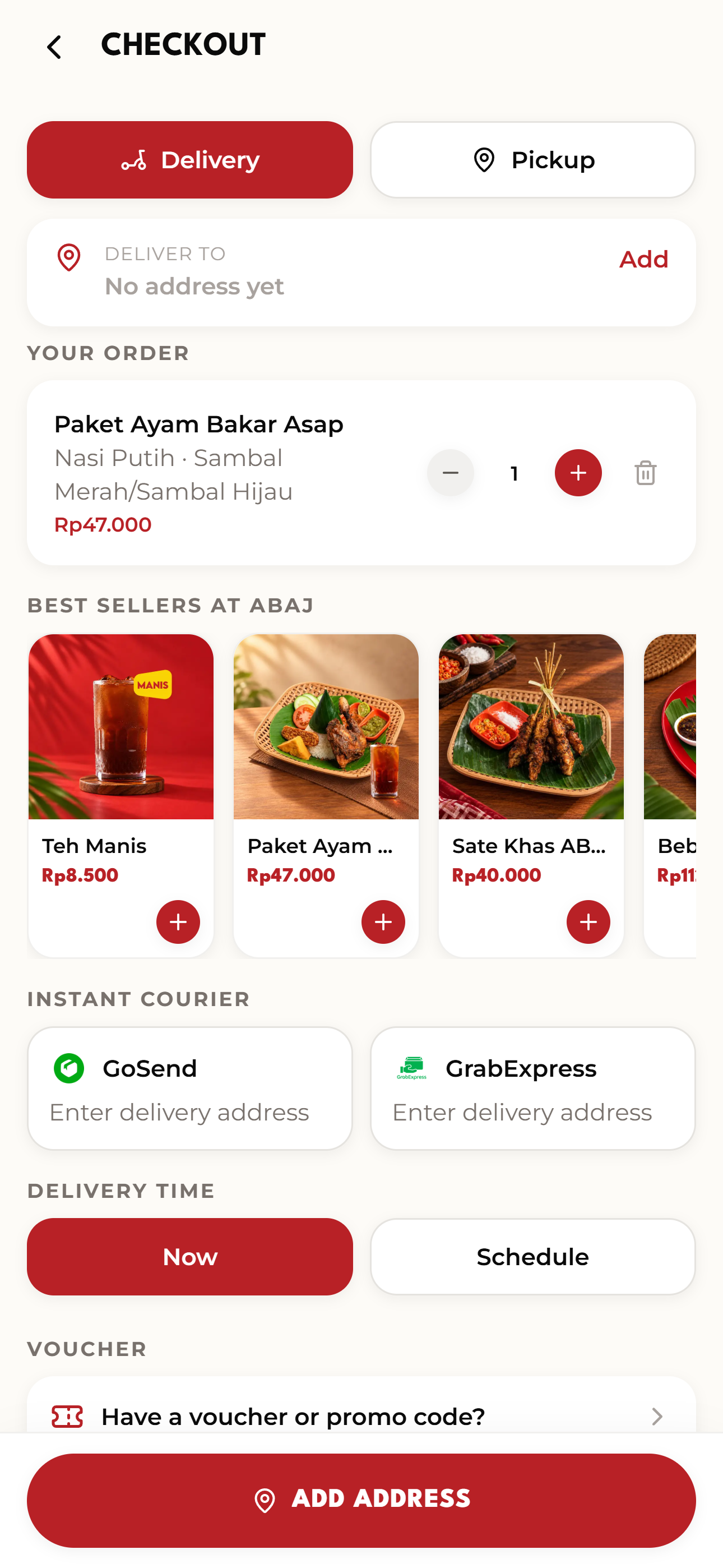
A checkout with fulfilment context
Delivery address, courier, schedule, payment choices, and totals appear in the native flow.
When the cart becomes empty, its voucher, points, and reservation context are cleared together to avoid stale ordering state.
Original native source rendered through an isolated Expo export, using the public catalog and a local cart. The review does not submit checkout or test device hardware.
Latest native source · current public menu ·
The problem
Customers need delivery, pickup, reservations, and catering to feel like one product rather than unrelated checkout flows.
Feature highlights
- Delivery, pickup, reservation & catering
- Current menu, required variants & cart
- Courier, schedule & payment choices
Current implementation
React Native, Expo, Expo Router, Zustand, and NativeWind power the customer app. The current source reads the live ERP catalog rather than a retired hardcoded menu. Required rice and sambal choices are validated before adding a dish. Checkout brings together address, courier, schedule, voucher, kitchen notes, payment choice, and total.
Explore the real product
Captures come from a fresh production web export of the current native source, using the active public menu and banners. Cart actions stay in the isolated preview; no customer checkout or payment was submitted.
Masalahnya
Pelanggan membutuhkan antar, ambil, reservasi, dan catering sebagai satu produk dengan alur pemesanan yang konsisten.
Fitur pilihan
- Antar, ambil, reservasi & catering
- Menu aktif, varian wajib & keranjang
- Pilihan kurir, jadwal & pembayaran
Implementasi sekarang
React Native, Expo, Expo Router, Zustand, dan NativeWind membangun aplikasi pelanggan. Source sekarang membaca katalog ERP aktif, menggantikan menu hardcoded yang sudah dipensiunkan. Pilihan nasi dan sambal wajib divalidasi sebelum menu ditambahkan. Checkout menyatukan alamat, kurir, jadwal, voucher, catatan dapur, pilihan pembayaran, dan total.
Jelajahi produk asli
Capture berasal dari export web produksi yang baru dibuat dari source native sekarang, memakai menu dan banner publik aktif. Aksi keranjang berlangsung di preview terisolasi; tidak ada checkout pelanggan atau pembayaran yang dikirim.